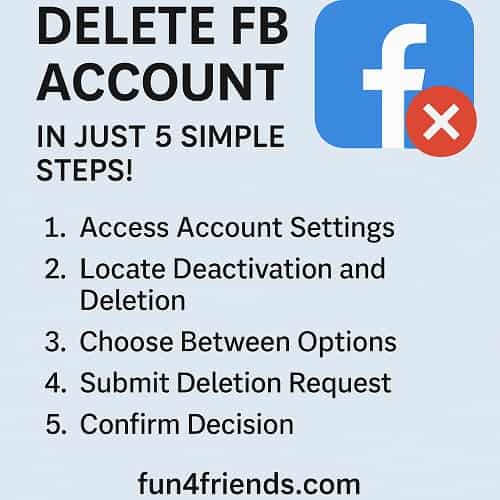
Ultimate Guide: How to Delete FB Account in Just 5 Simple Steps!
Are you ready to take control of your digital life and say goodbye to Facebook? Whether you're seeking more privacy, reducing screen time, or simply moving on from social media, deleting your Facebook account can be a liberating choice. In this ultimate guide, we’ll walk you through how to delete FB account step-by-step, making it simple and stress-free.
Looking for a fresh, privacy-friendly social alternative? Try Fun4Friends.com — a modern platform for real connection with features like live chat, a pet game, and a positive community.
Why People Choose to Delete or Deactivate Facebook
In today’s connected world, Facebook can feel more invasive than engaging. Growing concerns over data privacy, mental health impacts, and the addictive nature of the platform are pushing users to rethink their online presence.
One key reason people search how to delete FB account is the platform's poor record with user data. From Cambridge Analytica to frequent policy changes, your privacy often feels at risk.
Alternatively, some users explore how to deactivate Facebook temporarily to step back and protect their mental health without losing their data. Either way, leaving Facebook gives you back control—and time to invest in real-life interactions or healthier platforms like Fun4Friends.com.
Preparing to Delete or Deactivate Your Facebook Account
- Download Your Data: Visit Settings → Your Facebook Information → Download Your Information.
- Notify Friends: Let your connections know where to reach you. Share your Fun4Friends.com profile if you’re switching platforms!
- Update Logins: Switch third-party logins (like Spotify or Pinterest) that use Facebook as the login method.
Step 1: Access Facebook Settings to Delete or Deactivate Your Account
To start:
- Log into Facebook
- Click the downward arrow on the top right
- Navigate to Settings & Privacy → Settings
- Go to Your Facebook Information
This section holds the key options for managing your data, including how to delete FB account or how to deactivate Facebook.
Step 2: Locate Deactivation and Deletion Options
Within Your Facebook Information, find and click Deactivation and Deletion. You’ll be presented with two choices:
- Deactivate Account (Temporary)
- Delete Account Permanently
If you're still undecided, how to deactivate Facebook might be the right start. But for a full break, move on to deletion.
Step 3: Decide Between Deactivation or Permanent Deletion
Deactivating lets you take a break. Your profile becomes invisible, but your data is preserved. Just log in anytime to reactivate.
Deleting your account removes everything forever after 30 days of inactivity.
🔁 Not ready to fully disconnect? Join the Fun4Friends.com community—where social life is simple, safe, and fun!
Step 4: Submit and Confirm Your Deletion Request
Once you choose permanent deletion:
- Enter your password to confirm identity
- Complete the CAPTCHA if prompted
- Hit “Delete Account”
✅ Bonus Tip: After deleting Facebook, create your free profile at Fun4Friends.com and enjoy features like real-time chat, friendship walls, and a playful pet system!
Step 5: Understand the Facebook Deletion Timeline
- 30 Days Grace Period: You can cancel deletion by logging in within this window.
- 90 Days for Full Data Removal: Facebook retains your data temporarily for technical reasons.
Avoid logging in if you want the deletion to proceed. Instead, start fresh on Fun4Friends.com, where community-driven content and real interaction matter most.
What Happens After Deleting Your Facebook Account?
Here’s what you can expect:
- All your Facebook data disappears
- Third-party logins linked to Facebook won’t work
- You’ll experience increased privacy, reduced stress, and a more mindful online life
🎉 Why not try a modern social space? Fun4Friends.com is built for meaningful friendships without the noise.
Alternatives to Deleting Your Facebook Account
If you’re not ready for deletion:
- How to deactivate Facebook temporarily: Go to Settings → Deactivation and Deletion → Choose Deactivate.
- Adjust your privacy settings to limit exposure
- Reduce time on Facebook with time trackers or digital wellness tools
Still want to connect and play in a safe environment? Fun4Friends.com offers engaging features like a universal chatroom, virtual pet games, and real community vibes.
Conclusion: Say Goodbye to Facebook, Say Hello to a Freer You
Now that you know exactly how to delete FB account, you're one step closer to digital freedom. Whether you go for a permanent break or just want to understand how to deactivate Facebook, this guide equips you with the steps to take control.
Instead of giving up social life altogether, transition to Fun4Friends.com—a privacy-friendly, fun-first community where you're more than just data. It's time to reclaim your peace, focus, and joy.
👉 Want a social platform that respects your privacy and mental peace? Create your free profile on Fun4Friends.com today!